

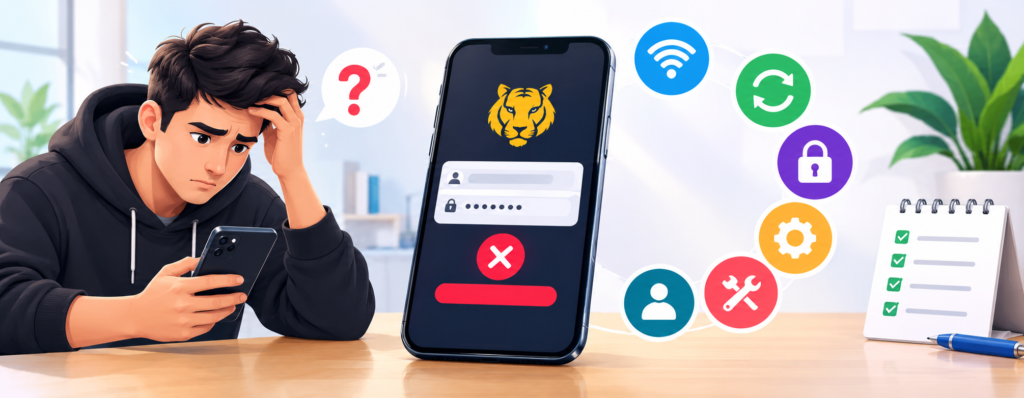
Login problems can happen for several simple reasons, from an unstable internet connection to an outdated browser or incorrect account details. If you are having trouble accessing your Tigerexch 365 login account or using Tigerexchange it is better to identify the cause first instead of repeatedly trying the same login method.
The good news is that many common access problems can be checked without technical knowledge. The following troubleshooting steps cover the most common issues and explain how to determine whether the problem is related to your connection, browser, device, or account.
1. Check Your Internet Connection
Start with the simplest possibility: your internet connection.
Open another website on the same device and see whether it loads normally. If other websites are also slow or unavailable, the problem may be your connection rather than the login page.
Try these steps:
- Switch between Wi-Fi and mobile data.
- Restart your router if you are using Wi-Fi.
- Move closer to the router if the signal is weak.
- Temporarily disconnect and reconnect to the network.
- Turn off a VPN if you are using one.
If the login page works after changing the connection, you have probably identified a network-related problem.
2. Check Your Login Details
An incorrect username or password is another common reason for unsuccessful sign-ins.
Before changing your password, carefully check:
- Spelling of your username
- Uppercase and lowercase characters
- Extra spaces
- Saved passwords in your browser
- Whether you recently changed your password
If your browser automatically fills your credentials, try entering them manually. An old saved password can sometimes cause repeated failed attempts.
If you have forgotten your credentials, use the platform’s official account-recovery process rather than relying on links from unknown websites.
3. Clear Your Browser Cache and Cookies
Browsers store temporary files and cookies to make websites load faster. Occasionally, outdated or corrupted data can interfere with a login session.
To test whether this is the problem:
- Open your browser settings.
- Go to the privacy or browsing-data section.
- Clear cached files and relevant cookies.
- Close and reopen the browser.
- Visit the official website again.
You can also try the page in a private/incognito window. If it works there but not in your normal browser, stored browser data or an extension may be responsible.
4. Try Another Browser or Device
Testing another browser is a quick way to determine whether the problem is limited to your current setup.
For example, if you normally use Chrome, try another updated browser. You can also test the page on another device.
This gives you useful information:
| What happens | Possible cause |
| Works in another browser | Browser settings or cache |
| Works on another device | Device-specific issue |
| Works on mobile data | Network problem |
| Fails everywhere | Possible account or service issue |
You do not need to change several settings at once. Testing one variable at a time makes the problem easier to identify.
5. Update Your Browser and Device
An outdated browser or operating system can sometimes cause compatibility problems with modern websites.
Check whether updates are available for:
- Your web browser
- Android or iOS
- Windows or macOS
- Relevant security updates
After installing available updates, restart the device and try again.
Also avoid installing unofficial applications or modified versions of software simply to solve a login problem. Using current software from trusted sources is a safer approach.
6. Check Verification and Account Security
Some login attempts may require an additional verification step. Depending on the account setup, this could involve an OTP, email confirmation, or another security check.
If an OTP does not arrive:
- Check that your registered contact details are correct.
- Wait briefly before requesting another code.
- Check your phone signal or email connection.
- Avoid repeatedly requesting codes within a short period.
Never share an OTP, password, or recovery code with another person claiming to provide technical support.
If you suspect that someone else may have accessed your account, stop repeated login attempts and use the platform’s official support or account-recovery channel.
7. Check for a Temporary Service Problem
Sometimes the issue is not on your side.
If the website is unavailable on different browsers, devices, and internet connections, there may be a temporary service problem. Repeatedly refreshing the page will not necessarily resolve it.
Instead:
- Wait for a short period.
- Try again later.
- Check the platform’s official communication channels for service information.
- Contact official support if the problem continues.
Avoid using unofficial mirror or login pages simply because they appear to be working. An unfamiliar website can create unnecessary security risks.
How to Identify the Real Cause Quickly
The easiest approach is to test one thing at a time.
Step 1: Check another website to confirm your internet connection.
Step 2: Re-enter your login details manually.
Step 3: Try an incognito/private browser window.
Step 4: Test another browser.
Step 5: Test another device or network.
Step 6: If the problem continues everywhere, use the official account-support process.
This method is more useful than repeatedly refreshing the same page because each test helps narrow down the possible cause.
Common Login Problems and Their Solutions
Why is the login page not loading?
Check your internet connection first, then try another browser or device. Clearing cached browser data can also help.
What should I do if my password is not working?
Check the spelling and saved credentials. If you still cannot sign in, use the official password-recovery option.
Why am I not receiving an OTP?
Check your network connection and registered contact details, then wait before requesting another code.
Can browser cache cause login problems?
Yes. Outdated cookies or cached files can sometimes interfere with website sessions.
What if the account works on another device?
The issue is likely related to your original browser, device settings, or stored data.
What should I do if the problem continues?
If the issue occurs across different devices and connections, contact the platform through its official support channel.
Final Thoughts
A failed Tiger365 login does not always mean that something is wrong with your account. Internet problems, outdated browser data, incorrect credentials, device compatibility, and verification issues can all affect access.
The best approach is to troubleshoot systematically: check the connection, verify your credentials, clear browser data, test another device, and make sure your software is up to date. If the problem continues across multiple devices and networks, use the platform’s official support or recovery process rather than relying on unofficial websites.